¶ How to Setup databases
This guide will teach you how to setup databases.
| All our databases are in MySQL and MariaDB format. |
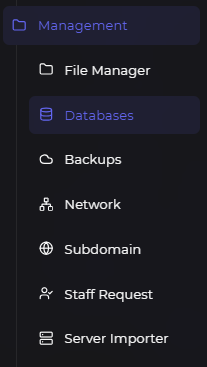
¶ First step : Find the database tab
To setup databases, we first need to go to the database tab in the panel.
¶ Second step : Create a database
To create your first database, please click on the "New Database".
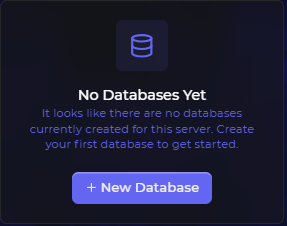
Next, add values such as the name and connections.
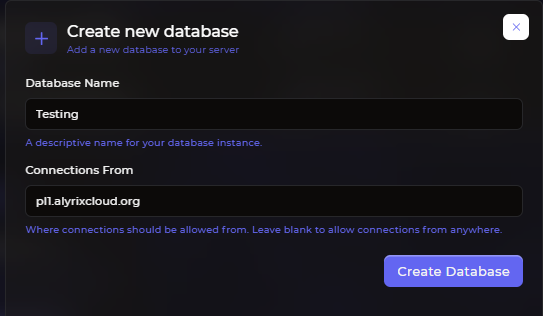
| The "Connections From" sector should be filled with the IP of your server, this ensures the security of your server’s database. If left empty, it would turn into 0.0.0.0, which allows anyone to use your database from anywhere if they have the credentials. If you’re using multiple nodes/IPs, you can leave this empty or put the IPs of the nodes you’re using. |
¶ Third step : Copy and use the credentials
After you’ve created the database, you can click on the details button. It’ll show you the database name, password, database user and hostname. Copy these and put them where you need to place them.
And that’s it! You have now successfully set up a database on our panel. Good luck with your project!