¶ How to add an extra port or allocation
This guide will show you hot to add an extra port or allocation for your server.
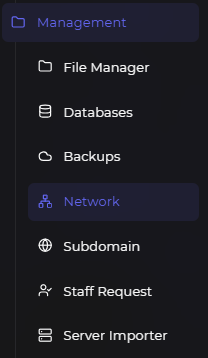
¶ First Step : Find the "Network" tab
First, please go to our panel and scroll down the side bar until you find the "Network" tab.
¶ Second Step : Creating a new port
Now, click on the Create allocation button.
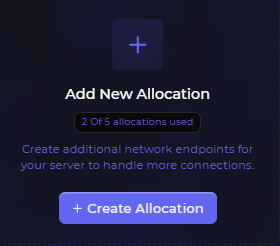
After this, you can see your new port and you can use this anywhere in your project!
| You can also switch your primary port to that newly created port by click on the Make Primary button. This changes your IP:Port in your console to IP:New Port. |